

 raised $6 million from Campus Fund, IIM Lucknow, and others to build the operating system for distributed energy deploymentraised $6 million from Campus Fund, IIM Lucknow, and others to build the operating system for distributed energy deployment
Demand triples by 2050.
Then the mix flips.
Solar carries the load.
Almost all of the new supply is solar and wind — and someone has to install it.
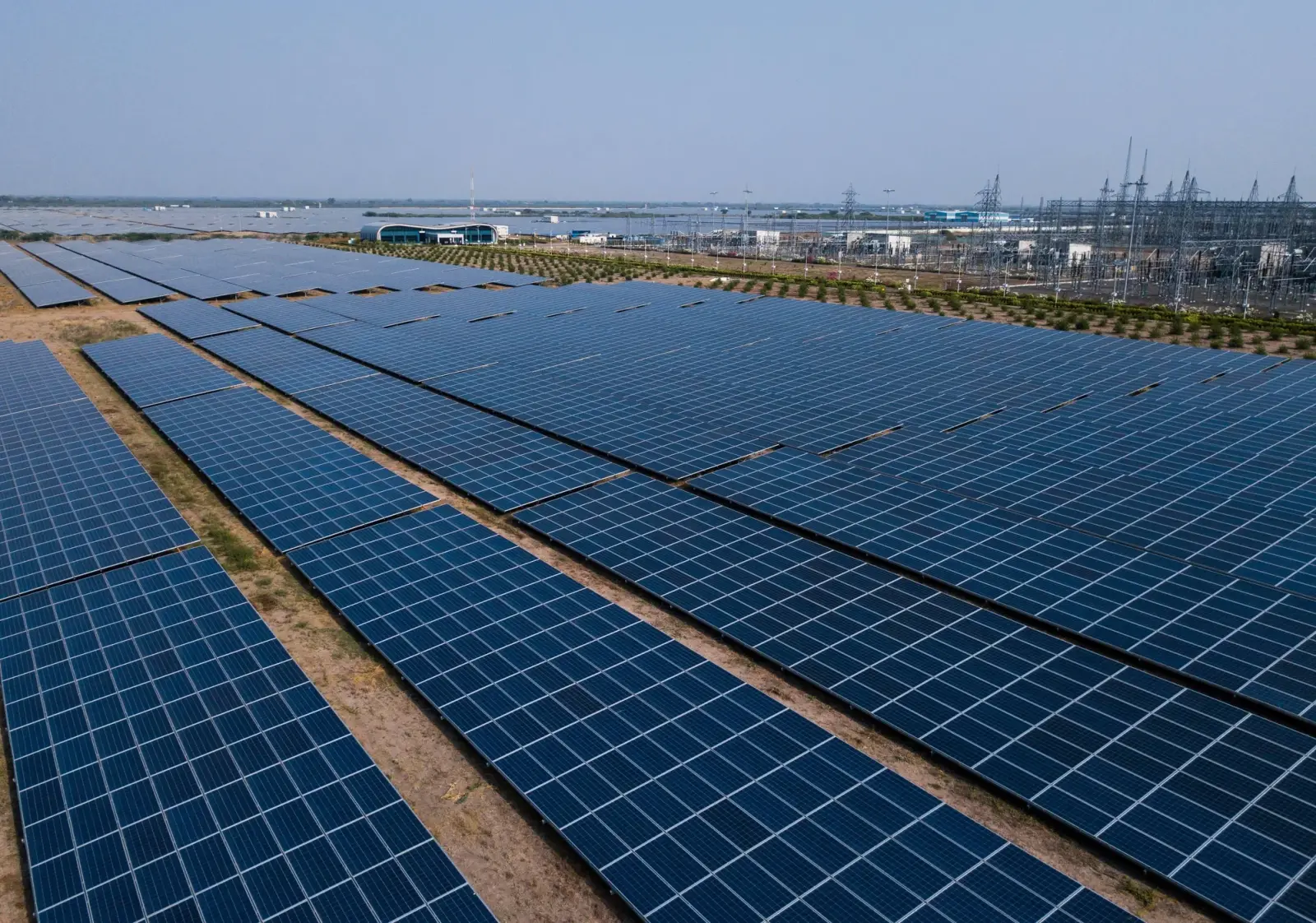
India's rooftop solar additions more than doubled year over year in 2025, led by residential demand.
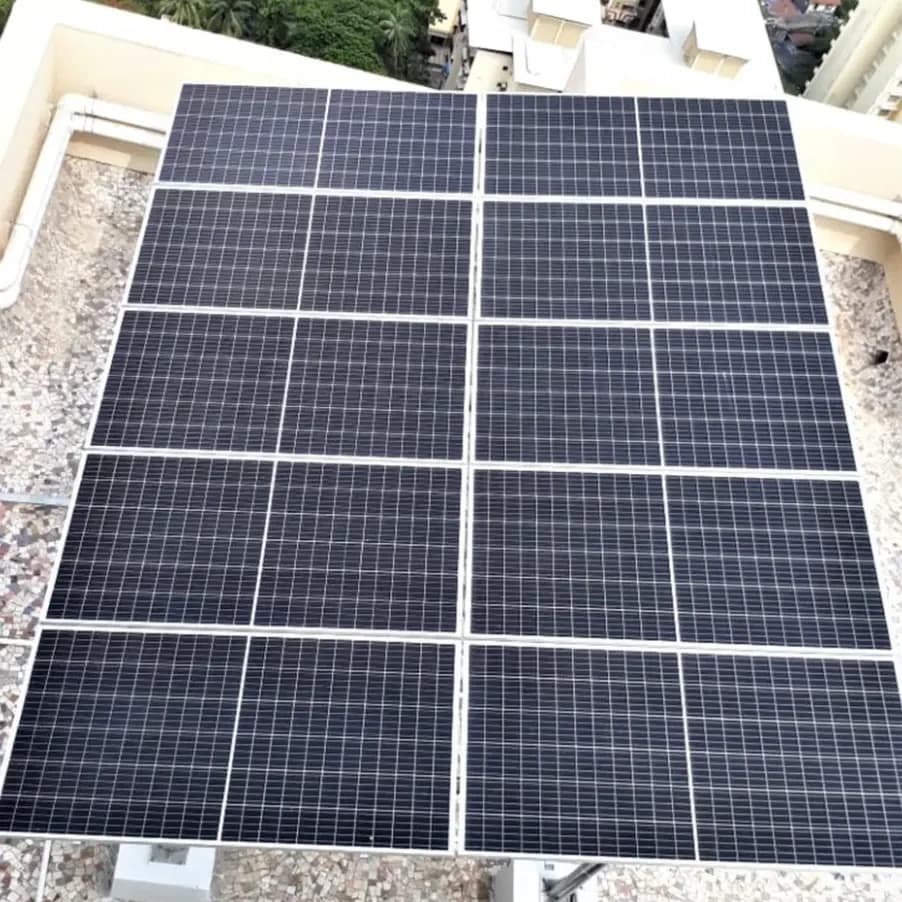
Generation is outpacing evacuation capacity, and curtailment is rising with it.

Subsidy targets now depend on how fast the last mile can actually deploy and commission.

Demand triples by 2050.
Then the mix flips.
Solar carries the load.

India's rooftop solar additions more than doubled year over year in 2025, led by residential demand.

Generation is outpacing evacuation capacity, and curtailment is rising with it.

Subsidy targets now depend on how fast the last mile can actually deploy and commission.
Eleven capabilities, one project record. Each card runs the capability live in its own frame; open it and the same scene plays larger, alongside what it does, how it runs and where it lives in the product.
Every project in one record
Scout sites on the map
Prompt to permit
AIType the intent, get a submission ready pack
Describe the site once. The model, the drawings, the SLD, the bill of materials and the DISCOM forms come back as one pack.
Simulate data centers
AIEvidence releases payment
Crews, roles, training
The app that keeps selling
The whole system, live
Every serial, bound to the asset
Every connection, tracked
41 jurisdictions, enforced
AIEvery project lives in one record
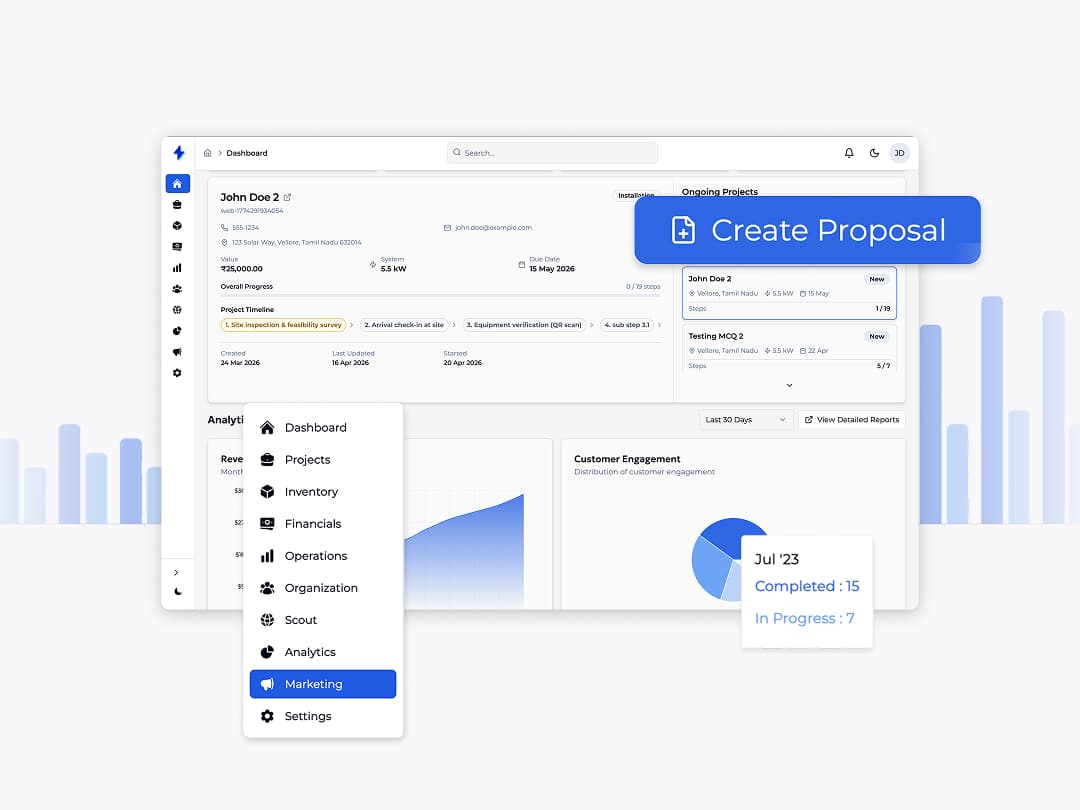
From first enquiry to final invoice, ReDesk holds one timeline per project. Sales, procurement, site crews and finance all read and write the same record — no exports, no re-keying, no version drift.
Enquiry to proposal in one flow
Capture the lead, size the system, price it, and send a branded proposal — then convert it to a project without typing anything twice.
Kanban or table, per team
New, contacted, qualified, converted. Sales works the pipeline, ops works the schedule — one underlying record, two views.
Documents stay attached
Permits, subsidy packets, serial numbers and install photos live on the project — not in an inbox, not on a phone.
Approvals with a name on them
Every stage gate records who approved it, when, and against which piece of evidence. Audits stop being an archaeology project.
More to discover
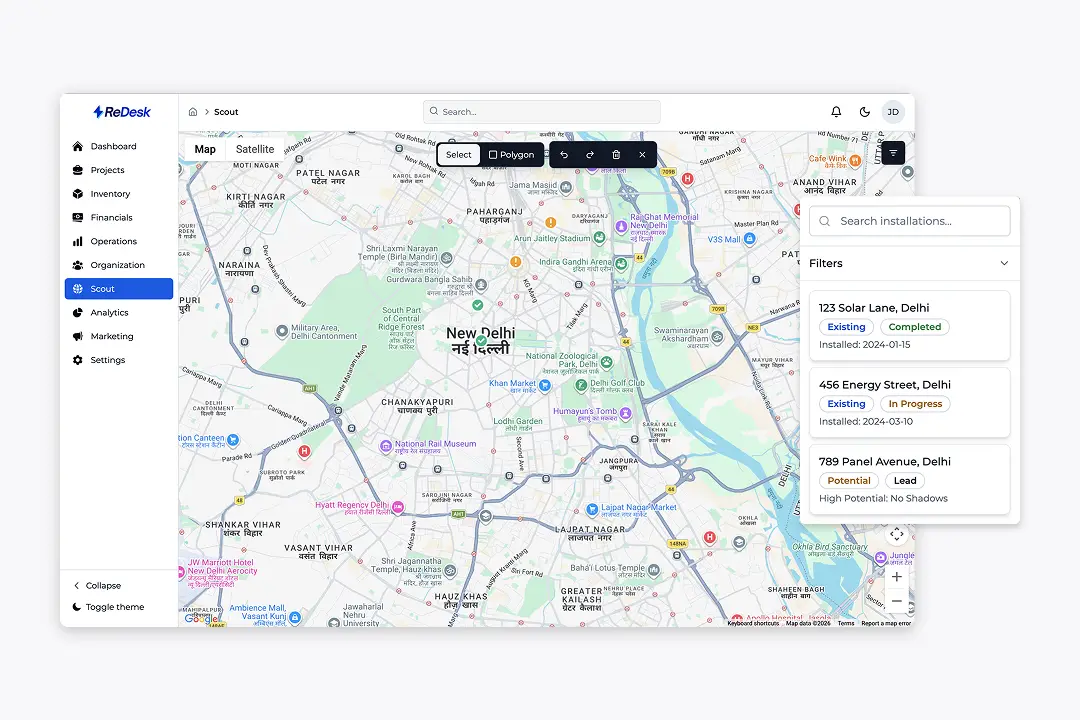
Draw a territory and see every existing, in-progress and potential rooftop inside it.
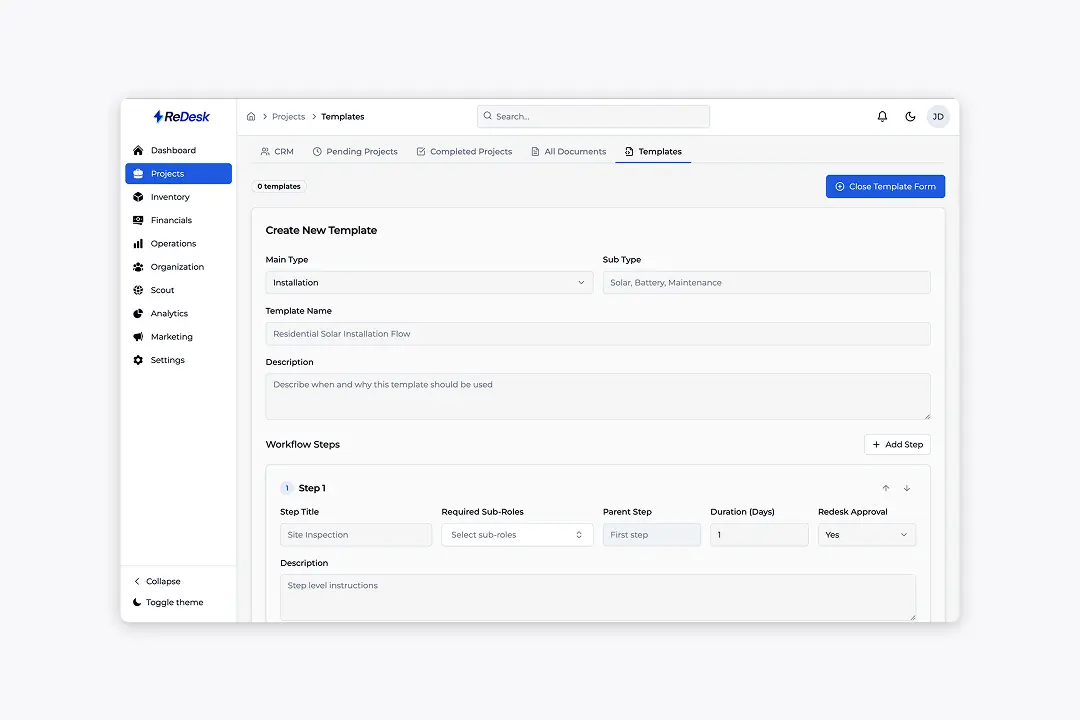
Write the standard install once — steps, owners, durations and approval gates.
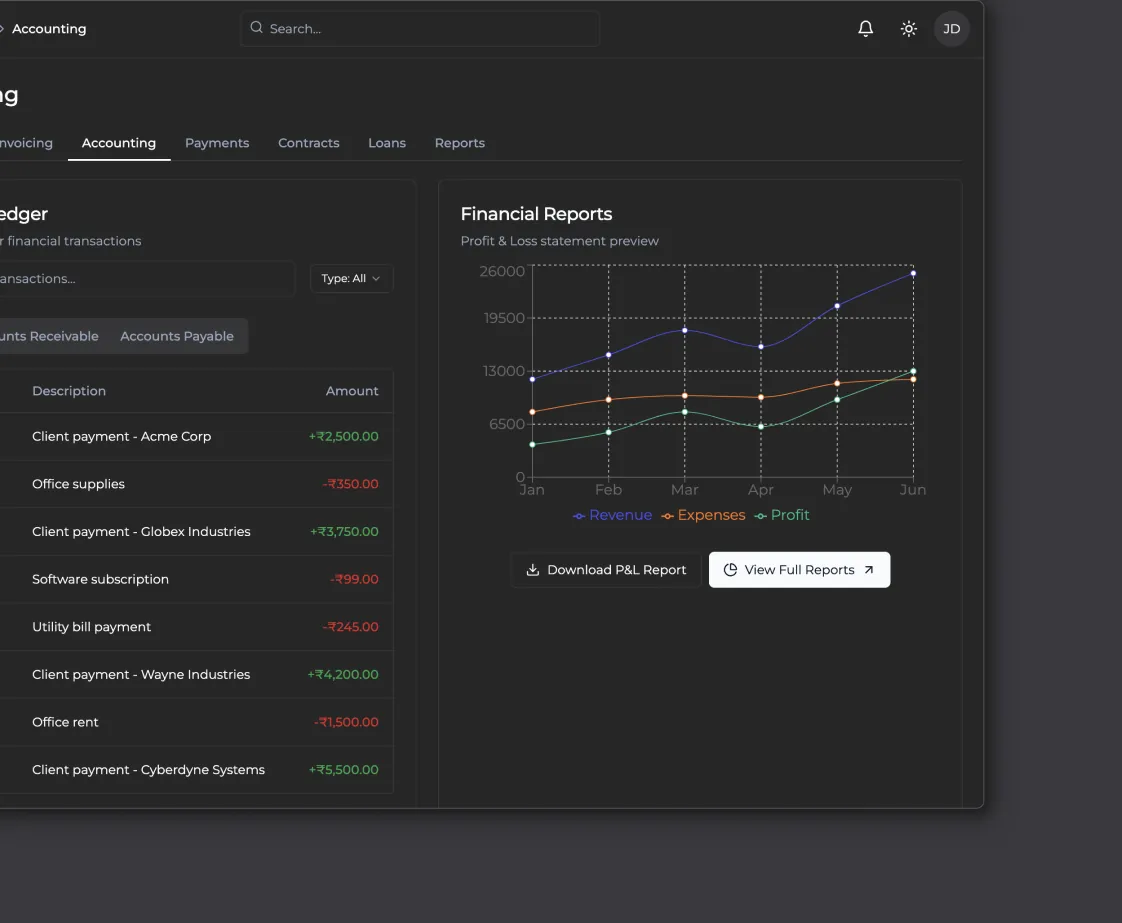
Milestone payouts, ledger and live margin — released only against verified work.
Go straight to the product that runs it
“Nobody asks which folder the project lives in any more. There is one record, and every answer is already inside it.”
Get started with ReDesk AI
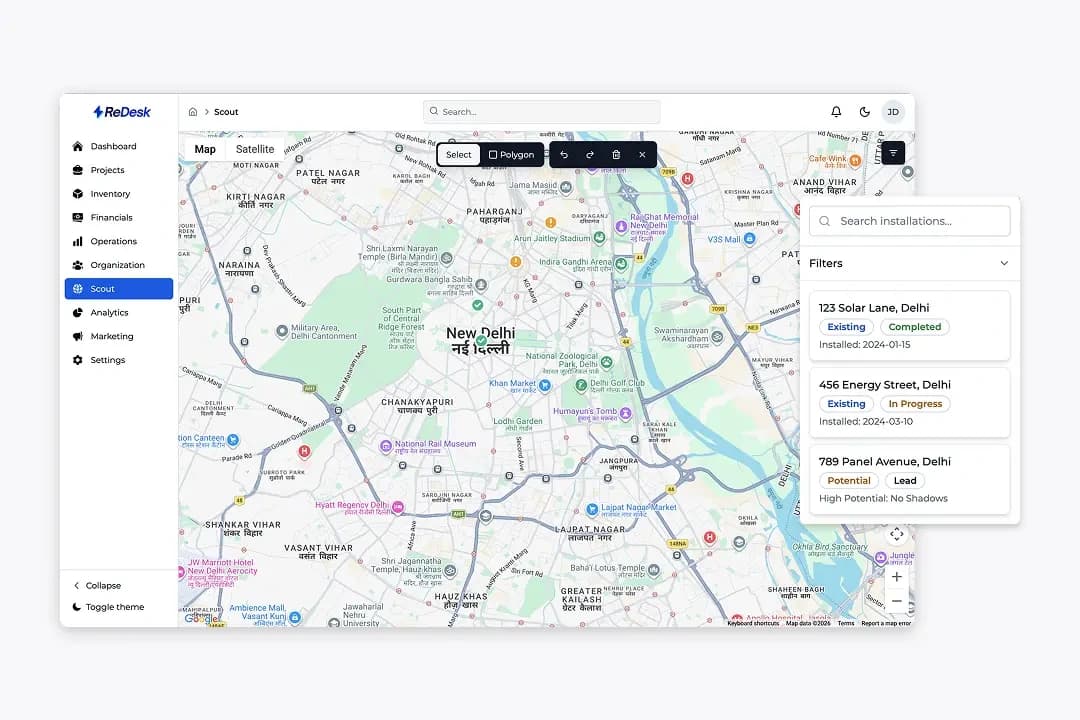
Find and qualify sites on the map
Draw a polygon over any neighbourhood and see every installation, live job and high-potential rooftop inside it — each pin carrying its score.
Everything Scout does
Polygon and radius search
Draw the area or drop a radius, then refine it until it matches the crew you actually have.
Four status layers
Existing, in progress, potential and lead — colour-coded and filterable down to install date.
Roof qualifier on every pin
Orientation, usable area, shading and load profile, so the sales call opens with a reason.
Consumption banding
Estimated monthly units per building, so the pitch starts at the right system size.
Draw the territory
Polygon or radius over the area you want to work this month.
Filter to what matters
Status, install date, roof size or consumption band.
Read the qualifier
Each pin explains its score before anyone drives out.
Convert to a project
Lead, survey and project inherit everything the pin knows.
Whitefield · 2.4 km²
Keep going
41 jurisdictions, enforced
Turn a converted site into a scheduled install with owners and gates.
The project record
See where a converted pin lands and what happens next.
Go straight to the product that runs it
“We qualify a site before anyone drives to it. The map tells us what the roof can carry and what the connection will cost.”
Get started with Scout
From a rooftop to a data centre, one engine
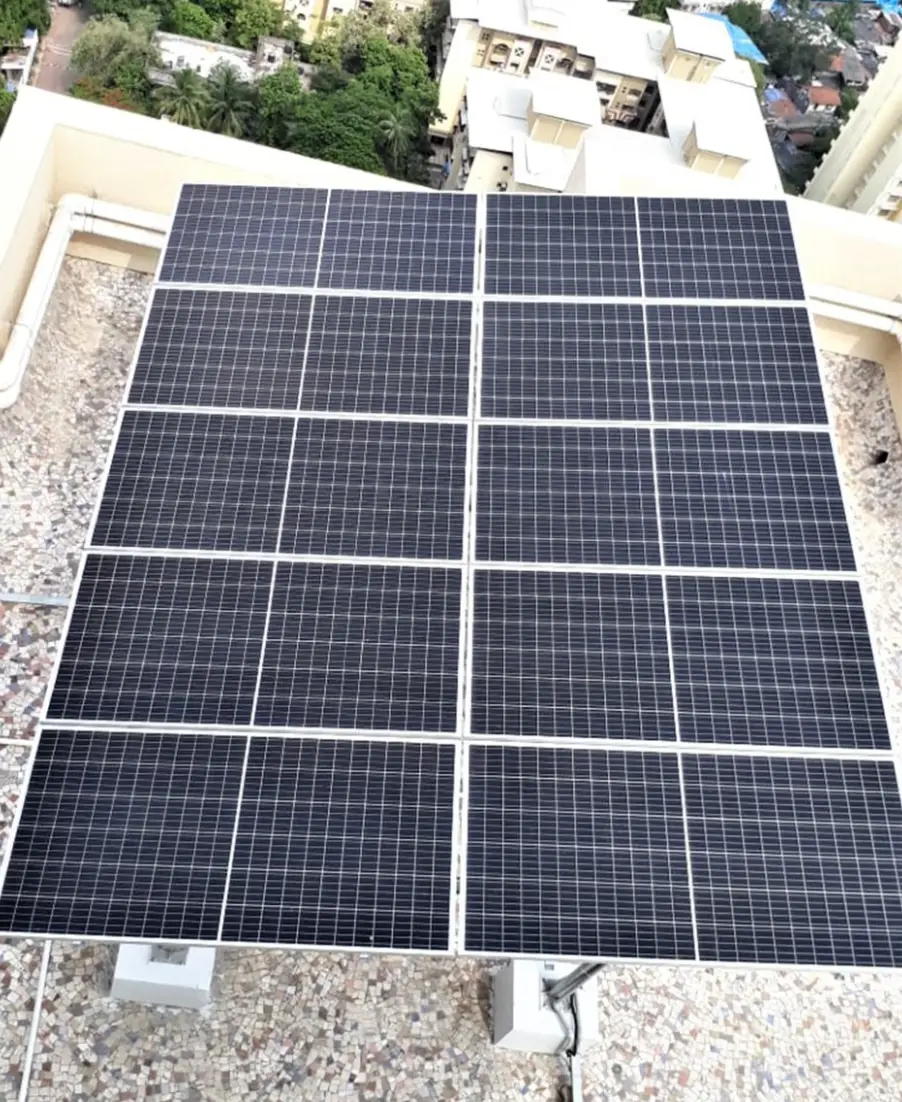
ReStudio works on the real roof plane. Lay the array out against it, watch the shade move across the day, and hand the crew a buildable placement.
Everything the placement engine does
Roof capture from imagery
Import the outline, pitch and obstructions, then work on a plane that matches the site instead of a sketch.
Setbacks applied automatically
Fire margins, walkways and edge clearance are held as rules, not remembered by the designer.
Panels that respect obstacles
Vents, chimneys and walkways stay clear. The array reflows around them rather than being drawn around them.
Shading through the day
Sweep the sun across the plane and see which strings lose output, and at what hour.
Bring in the roof
Aerial imagery or a survey capture gives you the outline, pitch and obstructions.
Place the array
Drop panels onto the plane; setbacks and obstacles hold their own clearance.
Run the shade
Sweep the day and read which strings dip, then move rows until they do not.
Send it to the build
Counts and positions go to the bill of materials and the install SOP.
South face · 96 m² usable
Keep going
Prompt to permit
Assemble the same placement in 3D and walk it before the crew does.
41 jurisdictions, enforced
The standard install this placement gets built to.
Go straight to the product that runs it
“The same engine draws an eighteen-site rooftop programme and a ground-mount block. We stopped keeping two design teams.”
Get started with ReStudio
41 jurisdictions, enforced at design time
Your standard install written down: ordered steps, the role that owns each, and what must be approved before the next opens. Every project inherits it.
Everything the jurisdiction library does
Ordered steps and dependencies
Parent steps and durations turn a template into a schedule the moment a project starts.
Sub-role ownership
Each step names the sub-role that may run it, so scheduling only offers eligible people.
ReDesk-approved gates
Gated steps cannot close until the evidence is uploaded and signed off by name.
Evidence capture
Photos, serial numbers, meter readings and signatures attach to the step that needed them.

Write the template once
Steps, owners, durations and the gates that need evidence.
Attach it to a job type
Every new project of that type inherits the full schedule.
Crews run the checklist
The field app shows only the step that is open to them.
Gate clears, next step opens
Evidence signed off, schedule and payment move together.
Net-meter inspection cannot close without evidence
Keep going
Who can run this step
Sub-roles, certification and the roster behind every assignment.
Gates that release money
Milestone payouts tied to the same verified checkpoints.
Go straight to the product that runs it
“The jurisdiction rule is in the template, not in someone’s head. Drawings come back approved the first time.”
Get started with ReDesk AI
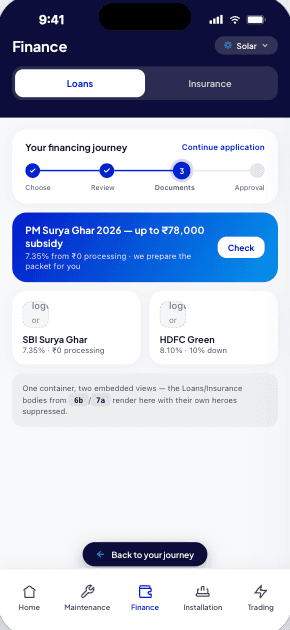
Evidence releases the payment
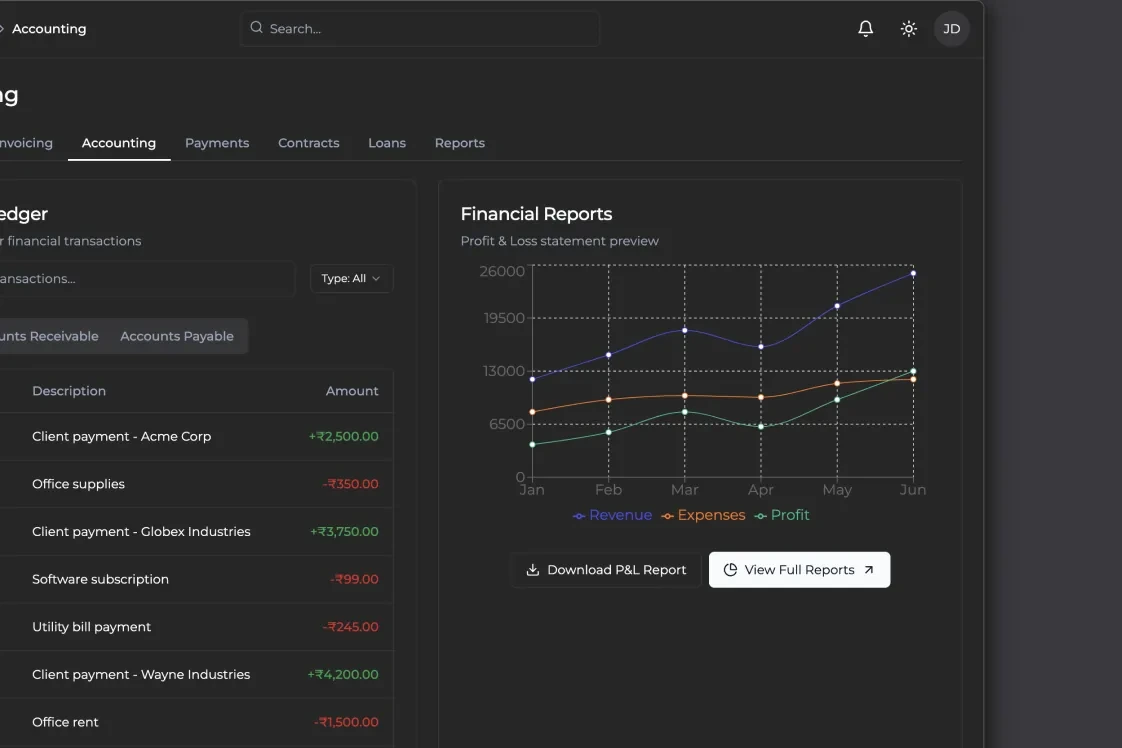
Milestone payments run on AutoPay, BBPS and eNACH rails, releasing only against a verified checkpoint — so margin stays a live number, not a guess.
Everything the financial layer does
Milestone schedules
Split the contract into checkpoints with amounts, triggers and the owner who signs off.
AutoPay, BBPS and eNACH
Mandates collected once; collections run on rails your customers already use.
Escrow-style receipts
Every release is receipted against the verified checkpoint it paid for.
Invoices from the record
Line items match the work that was signed off, not a re-typed estimate.
Set the milestones
Amounts and triggers agreed with the customer up front.
Collect the mandate
One AutoPay, BBPS or eNACH setup covers the whole schedule.
Verify the work
The gate on the SOP is the trigger — no separate approval chain.
Release with a receipt
Money moves, the ledger updates, margin re-reads itself.
Keep going
The gates behind a release
Evidence, sign-off and the step that unlocks the payment.
The whole system, live
The owner sees the same verified proof, and pays from it.
Go straight to the product that runs it
“Money moves when the work is verified. Margin is no longer a month-end surprise.”
Get started with Financials
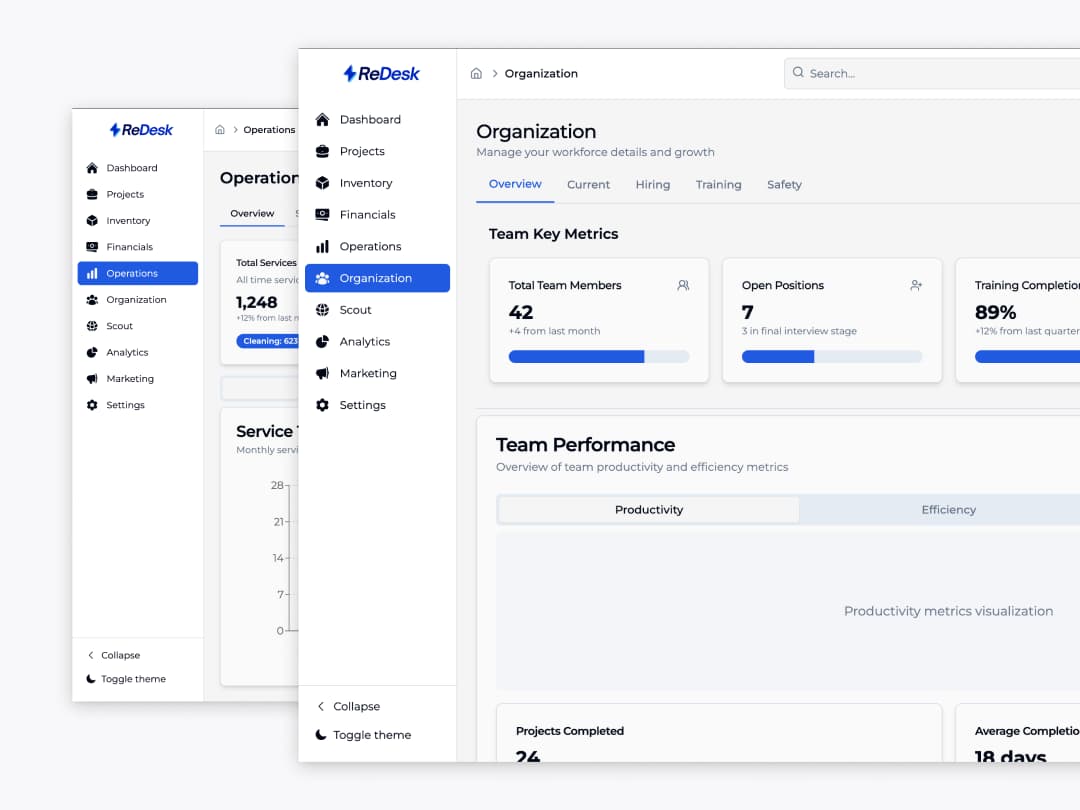
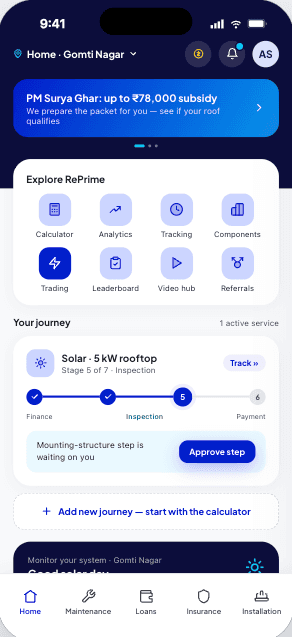
Crews, roles and training in one view
Headcount, certification and safety records sit next to the work they affect, so a step needing a certified installer can only be assigned to one.
Everything the people layer does
Sub-roles, not job titles
Surveyor, installer, electrician, QC. Steps request a sub-role and the roster answers.
Certification with expiry
An expiring certificate removes someone from the eligible list before they are scheduled.
Safety and incident records
Kept next to the crew and the site they belong to, not in a separate binder.
Hiring pipeline
Open roles, candidate stage and the gap against the capacity you have planned.
Define the sub-roles
The skills your SOP steps are allowed to ask for.
Track certification
Expiry dates keep the eligible list honest automatically.
Match crew to step
Scheduling only offers people who can legally do the work.
Pay against verified work
Checkpoints clear, payouts run for staff and partners alike.
Ravi Verma drops off the eligible list in 4 days — his install certification expires before the job is scheduled.
Keep going
The steps they run
Templates, owners and the gates each crew has to clear.
Crew cost in the ledger
Labour lands against the project it was spent on.
Go straight to the product that runs it
“Scheduling only offers me people who are certified for the step. That one change ended most of our rework.”
Get started with RePartner
From one prompt to a submission-ready pack
The model the designer works in is the one the customer sees and the crew builds from. Layers assemble in install order; counts flow into the BOM.
Everything Prompt to permit does
Assembled layer by layer
Deck, rails, modules and balance of system stack up in the order the crew will build them.
Built from the placement
The model is generated from the layout, so the two cannot drift apart.
Clashes caught early
Conduit runs, inverter clearances and walkway widths checked in the model rather than on the roof.
A view the customer understands
Share the same model as a plain 3D view — no drawings to interpret.
Generate from the layout
The placement becomes a model with real rails, clamps and modules.
Assemble the layers
Step through the build order and check each layer lands where it should.
Run the clashes
Clearances and runs are tested before anyone orders material.
Share and export
Customer view, crew view and bill of materials all come off the same model.
Deck, rails, modules, balance of system
Keep going
Equipment placement
Where the geometry in this model comes from.
The project record
The record this model is filed against.
Go straight to the product that runs it
“Households see the array on their own roof before they sign. The submission pack comes off the same model.”
Get started with ReStudio
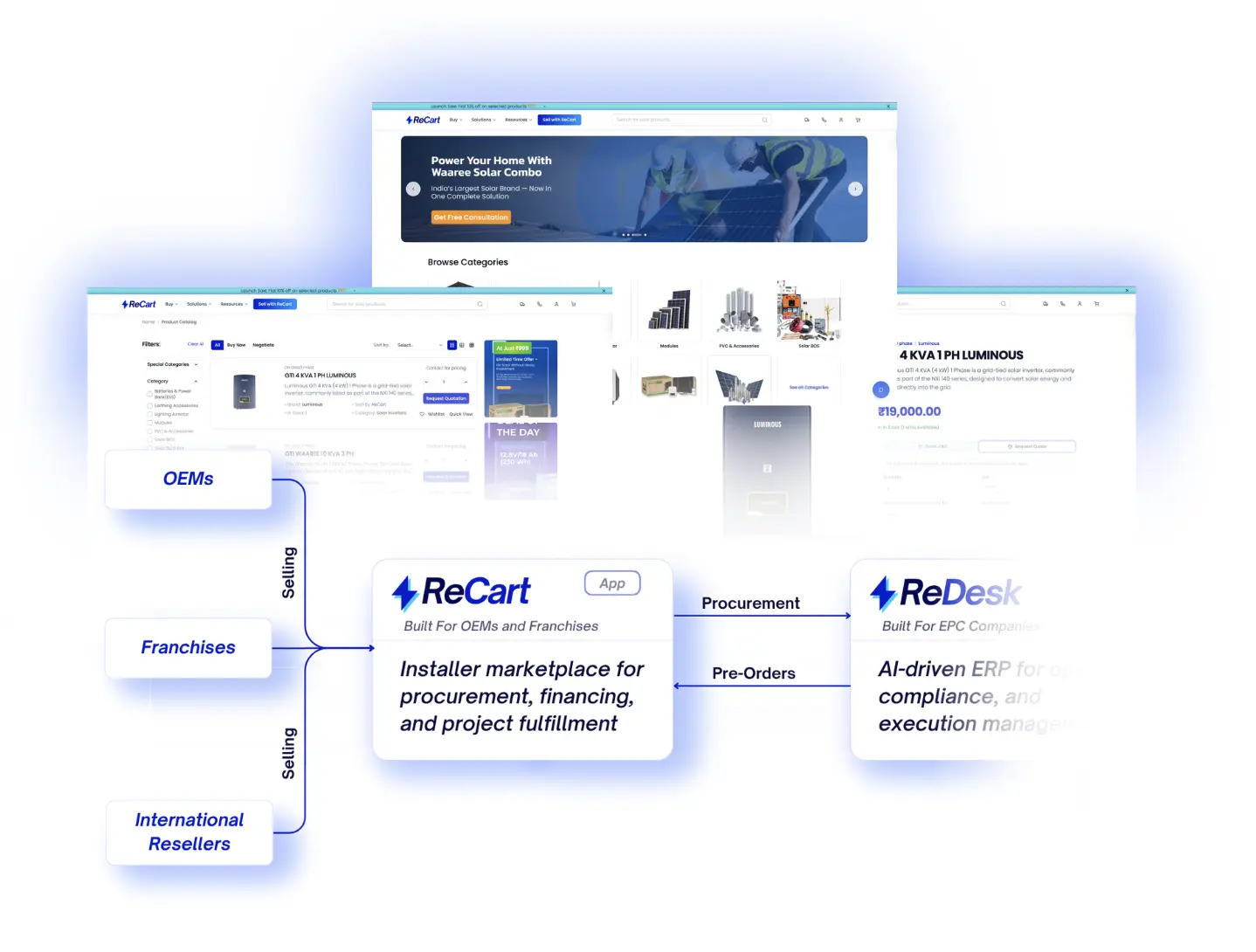
Every serial bound to the asset it powers
Every project carries its own bill of materials. Stock, dispatches and serial numbers reconcile against it, so a shortage surfaces before the crew does.
Everything the supply layer does
Bill of materials per project
The design output becomes the BoM, and procurement is measured against it.
Multi-warehouse stock
Allocate from the nearest godown and see what that leaves for the next job.
Purchase orders and GRN
Raise, receive and reconcile without a separate procurement spreadsheet.
Serial number capture
Panel and inverter serials scanned on site, filed against the asset for warranty.
Design becomes the BoM
No re-typing a parts list from a drawing.
Allocate and order
Draw from stock, raise POs for the gaps.
Receive against the PO
GRN and serials captured at the warehouse or the site.
Reconcile and post
Cost lands on the project; the entry lands in your books.
Go straight to the product that runs it
DC cable is short by 40 m against the design. The install step stays unschedulable until the GRN lands.
“Every serial is bound to the asset it powers. Lender diligence takes an afternoon instead of a fortnight.”
Get started with ReCart
Every connection tracked to the day it lands
Feasibility, DISCOM application, subsidy packet, inspection and meter fitting are steps like any other — with owners, ageing and every document filed.
Everything the compliance layer does
State-wise DISCOM processes
Each state has its own forms and sequence; the template already knows them.
Application tracking with ageing
Days-in-stage on every filing, so a stalled application is visible, not remembered.
Subsidy packet assembly
The packet is built from documents the project already holds.
Inspection evidence
Photos, readings and signatures captured at the visit that needed them.
Feasibility and filing
Application raised with the documents already on the record.
Fee and acknowledgement
Receipts filed against the project, ageing clock starts.
Inspection with evidence
Photos and readings captured on the step itself.
Meter and certificate
Commissioning closes the loop and starts the savings view.
Go straight to the product that runs it
Assembled from the record
“We can see which application is ageing in which discom, on the day it starts slipping.”
Get started with ReDesk AI
The app that keeps selling after handover
After commissioning the asset keeps talking. Production, savings, battery health and service history land in one screen, pulled through ReLink.
What the dashboard carries
Production, live
Inverter and meter readings arrive through ReLink and render as today, this month and lifetime.
Savings in money
Units become rupees against the tariff on the bill, so the value is legible without a spreadsheet.
Health and service
Battery state of health, cleaning schedule, warranty and AMC status sit in the same record.
Energy hub
Connected loads, smart plugs and EV charging, so the household sees where the power goes.
Pair the asset
ReLink connects the inverter and meter, and the asset passport fills in from the build record.
Readings become value
Interval data lands as today, this month and lifetime, priced against the tariff on the bill.
Service stays visible
Cleaning, warranty and AMC prompts arrive in the same place the numbers do.
Rooftop 8.4 kW with 5 kWh storage
Every number here traces back to a device reading, not an estimate. Tap any row to see the interval data behind it.
Keep going
The whole system, live
The same app during deployment.
Every connection, tracked
How the asset gets permission to export.
“Owners open the app instead of calling us. Eighty-four percent of our questions never reach the queue.”
Get started with RePrimeApp
The whole system, live in their pocket
Your field SOP, shown to the customer as checkpoints. Each stage closes with photo evidence, and payment releases against verified work.
What the tracker carries
One SOP, two views
The crew works the checklist; the customer sees the same stages as progress.
Evidence attached
Photos, serials and sign-offs sit on the checkpoint that produced them.
Payments on proof
Milestones release through AutoPay, BBPS or eNACH once work is verified.
Tickets in place
Questions raised in the app land on the project, not in a private inbox.
Publish the SOP
The install template becomes the stages your crew works and the customer watches.
Close with evidence
Photos, serials and a sign-off attach to the checkpoint that produced them.
Release the money
Verified work unlocks the milestone on AutoPay, BBPS or eNACH — nothing before.
Four of five stages signed off
The customer sees the same checkpoint the crew ticks. Payment for a stage unlocks only once its evidence is verified.
Keep going
The app that keeps selling after handover
What the same app becomes after commissioning.
41 jurisdictions, enforced
Where these checkpoints come from.
“The customer watches the same milestones we do. Nobody has to be told where the project stands.”
Get started with RePrimeApp
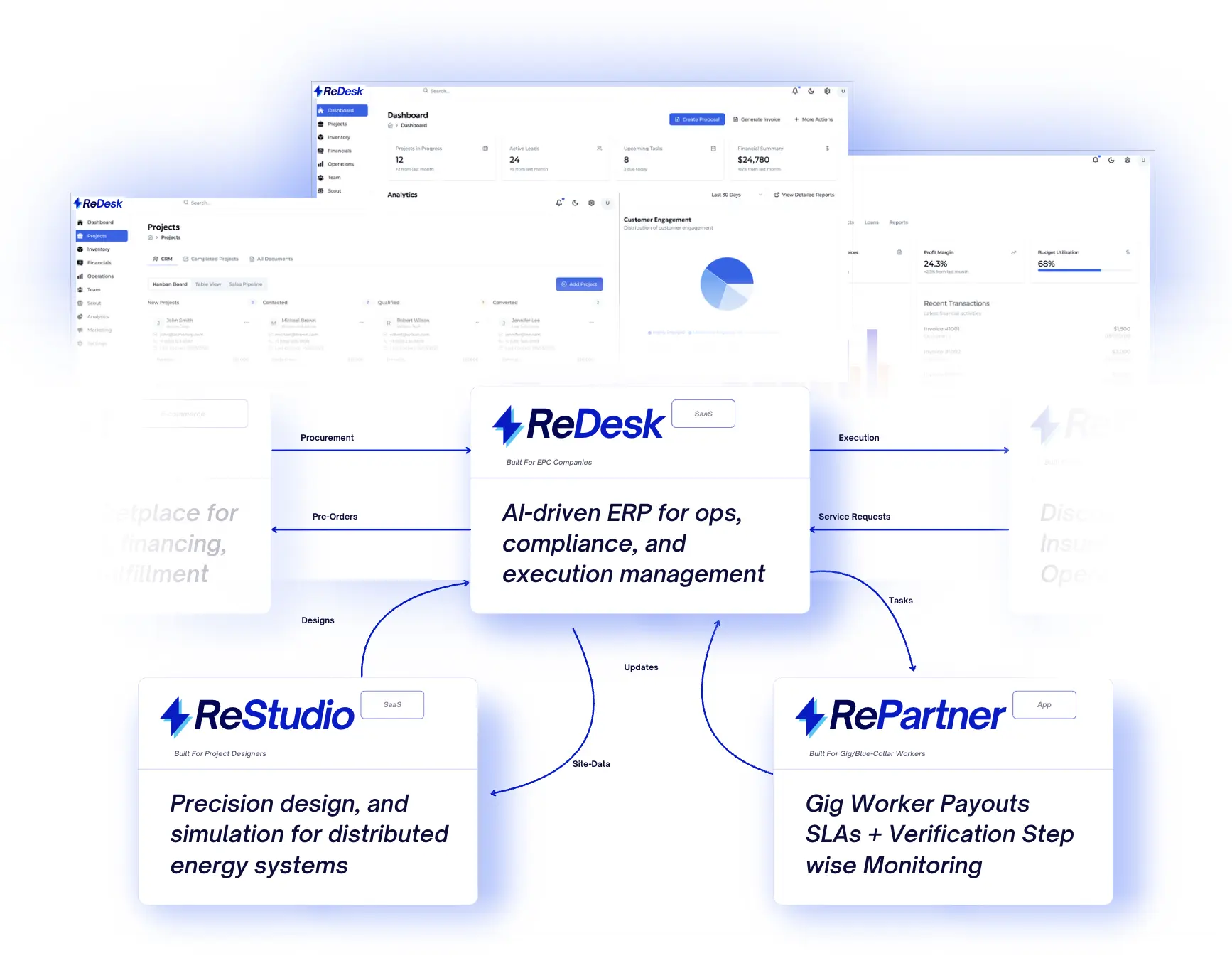
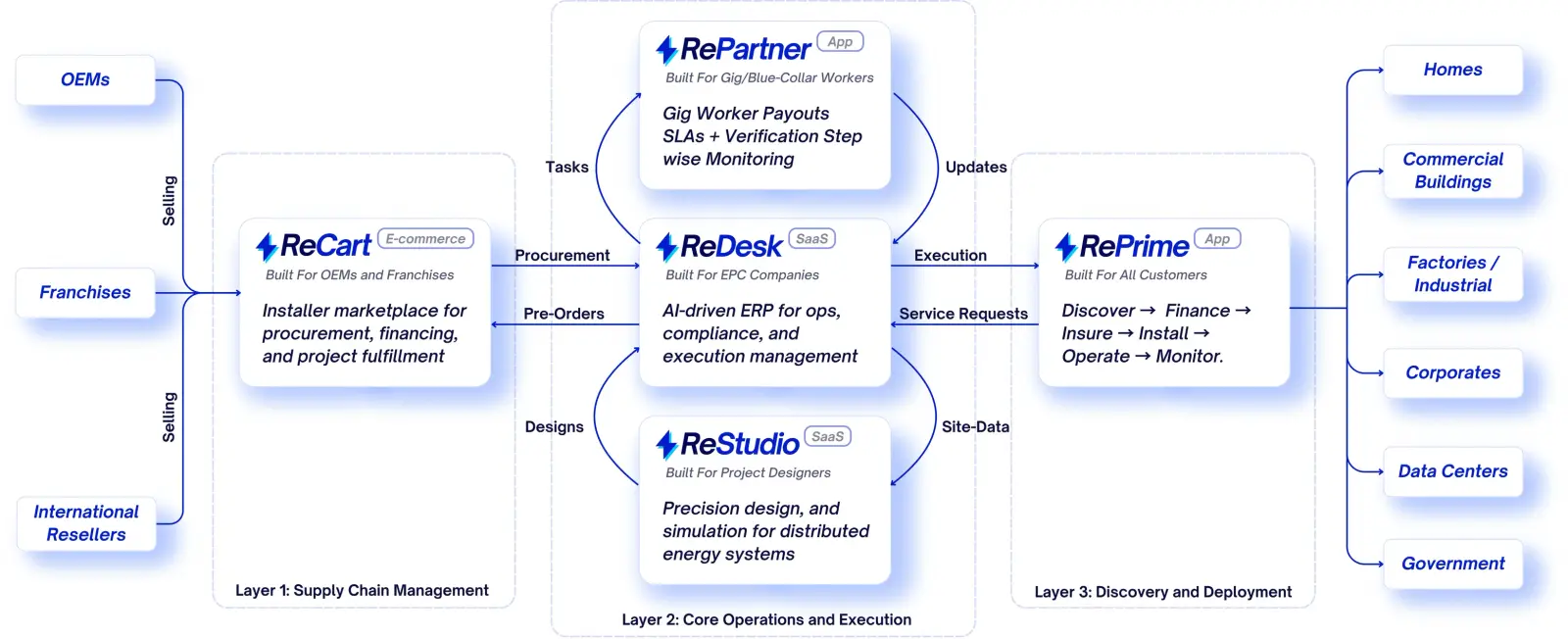
One stack, five products
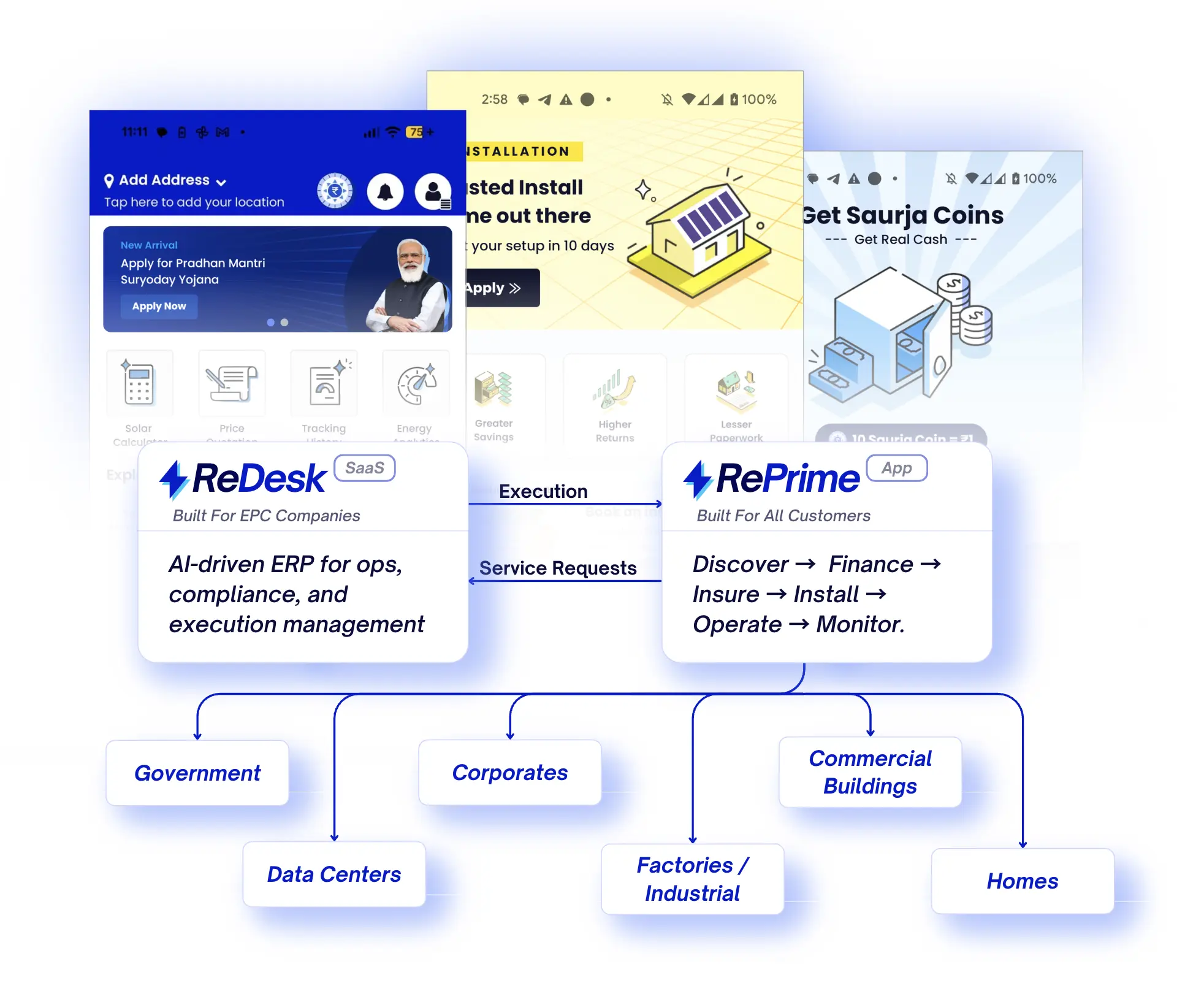
Everything in the ReDesk ecosystem sits on one project record — from the supply chain that sources the hardware up to the app your customer holds.
Three layers, pulled apart
Layer 3 sources the hardware. Layer 2 runs the operation. Layer 1 is the app your customer holds — homes through to government, all reading the same record.
RePrime faces the customer
Discovery, finance, monitoring and trading in one app — from homes and MSMEs up to government, all on the same record.
ReDesk is the core
An AI-equipped CRM, the RePartner manager, net-metering, inventory, mapping and agent architecture — six modules on one record, so nothing is entered twice.
ReStudio draws the system
A digital twin of the site on a 3D canvas, hour-by-hour simulation, panel layouts, shading and an itemised bill of materials — designed once, then read straight down into the project record.
RePartner runs the field
Crew tasks, SLAs and step-wise verification. Payouts release against verified work, and every check lands back on the same record.
The supply chain underneath
ReCart is where the hardware comes from: procurement against your BoM, embedded financing, tracked delivery and 200+ verified energy brands — at zero commission.
One record, end to end
Five products, one identity and one set of forms. Nothing is entered twice, and every layer sees the same truth.
Grid capacity, filings and subsidy timelines now decide which projects clear, and when they start earning. Sanctioned load, DISCOM queues and ALMM rules change state by state, and the teams tracking them in spreadsheets are the ones losing weeks.


Installers, EPCs and distributors across 21 states. Open any story to see what moved, and by how much. Each team came off spreadsheets and WhatsApp threads onto one project record. The before and after figures are theirs, not ours.

“We stopped running the business out of eleven spreadsheets. The gate on the install step is the same gate that releases the payment, so nobody argues about what “done” means any more.”

“I used to find out a project lost money six weeks after it closed. Now I see the margin move while the crew is still on site.”

“Purchase orders, GRN and Tally line up on their own. Closing a month is a morning, not a week.”

“The subsidy packet builds itself from documents the project already has. DISCOM rejections went from routine to rare.”
Not a twelve-month rollout. Migration, configuration and training happen while your current month keeps running, then you switch. Your data comes across first, and your crews learn the field app on live jobs. Three weeks, one named implementation lead.
Migration
We import your projects, customers, price lists and stock from whatever you run today — spreadsheets, Tally, an old CRM. You review, we correct, nothing is typed twice.
Configuration
Your SOPs become templates: your steps, your sub-roles, your approval gates, your milestone schedule. Configured against how you actually work, not a default.
Training
Office team on the record, crews on the field app. Role-based sessions, in the language the crew speaks, with a sandbox project to practise on.
Go-live and after
A named implementation lead through the first month, then support on the same channel. New states and new job types get added as you grow.
Connected to what you already run
Your CRM, your accountant's ledger, the inverters on the roof and the channel your crews read. Connections are set up during week two: thirty-plus of them, most two-way.
Discover → Finance → Install → Operate → MonitorFrom site visit to lifetime generation
Every stage of the asset lifecycle sits on one project record. Scroll to move through it.
Find and qualify every site
Log every lead, run outreach campaigns, and track your pipeline by stage. When a lead converts, all details carry forward into the project automatically.
Quote, finance, and invoice in one ledger
Pull your design and BoM directly into a branded proposal. Apply rates, milestones, and terms automatically, then collect e-signatures and convert accepted proposals into live projects.
Every install follows the same SOP
Build project templates, SOP checklists, and document formats by system type. Every new project starts with the right structure, milestones, and compliance requirements.
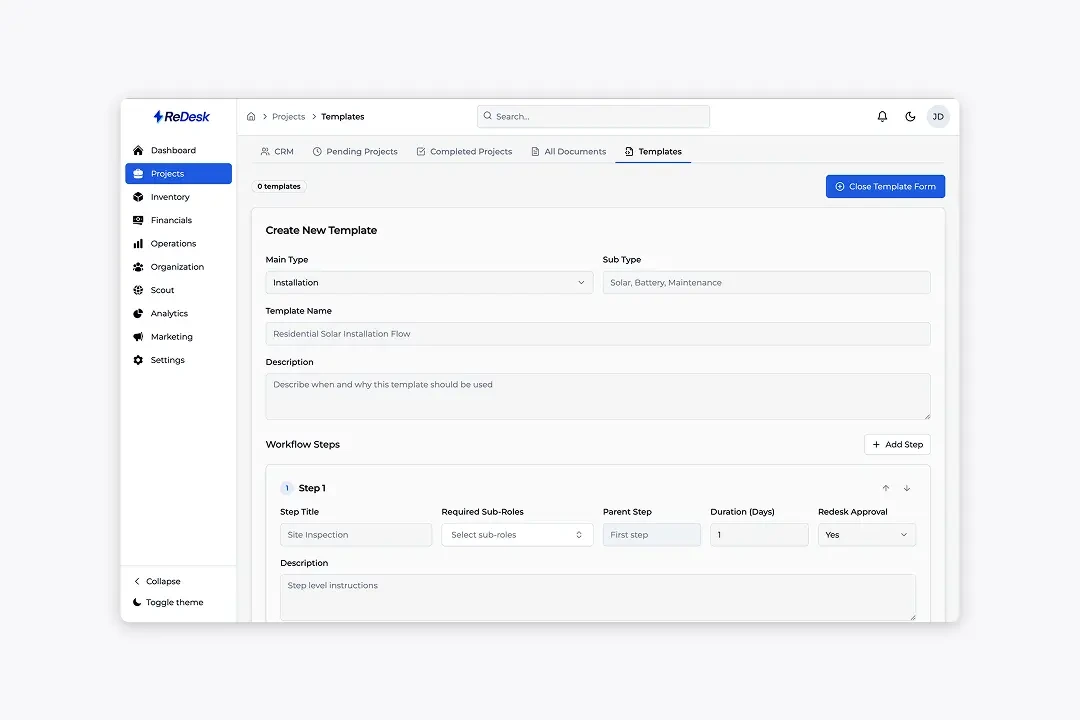
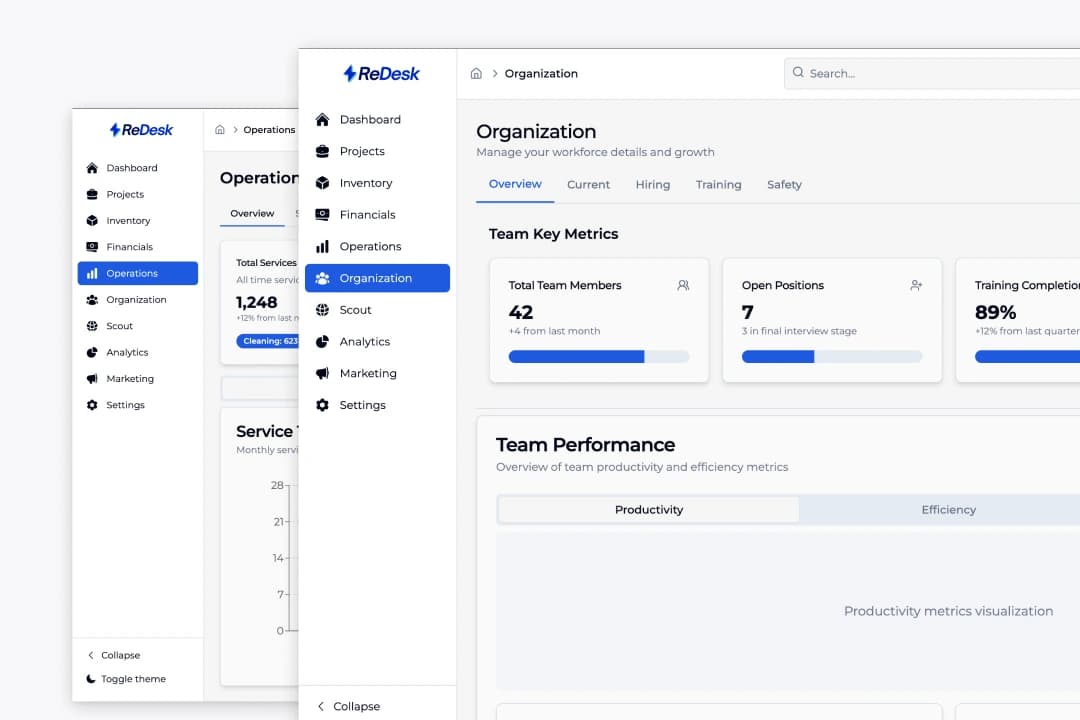
Run crews across every branch
Set up teams, roles, and access levels that match your structure. Multi-location support keeps branches independent while giving head office visibility across every project and team.
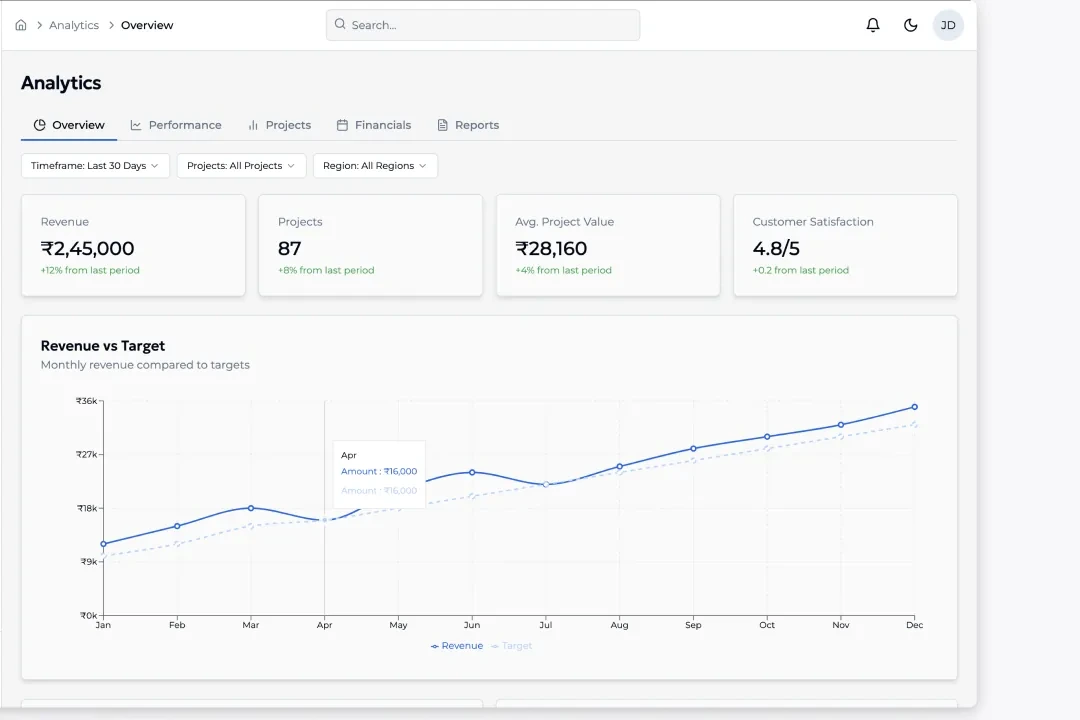
See the number, then the cause
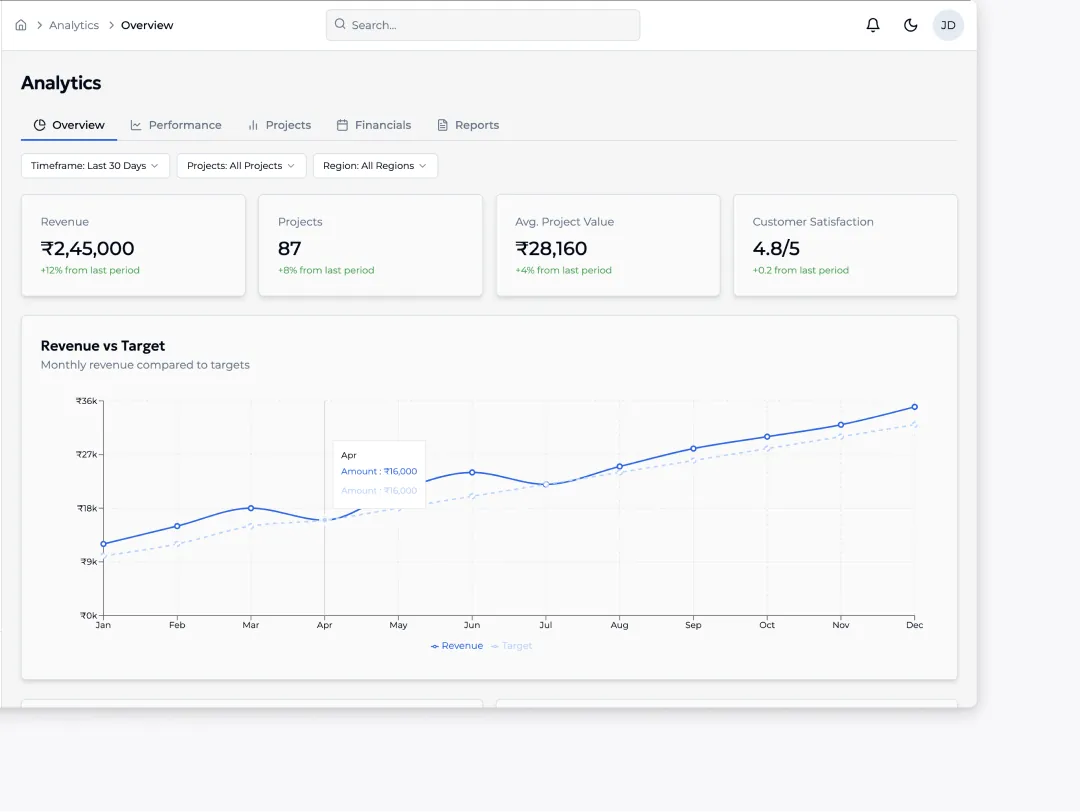
Track pipeline value, project margins, crew performance, and payment collection rates in one dashboard. Drill from a high-level metric down to the individual project or crew driving it.
Your data security and privacy are our top priorities. We maintain the highest standards of compliance.
SOC 2 AICPA certified
Ongoing compliance with SOC 2's reporting standards for data security and privacy.
GDPR compliant
Fully compliant with GDPR for safe and secure data use.
AES 256 at rest
Your data is secured at rest and in transit against unauthorised access.
SSL secure
Encrypted connections are always used for safe data transmission.
CCPA compliant
Fully compliant with CCPA to ensure consumer data privacy.
Straight answers on migration, field work, data and rollout. These are the questions that come up in the first call. If yours is not among them, ask it and someone who has run an implementation will reply.
We import them. Projects, customers, price lists, stock and historical jobs come across during week one, mapped to ReDesk fields with you reviewing the result. You keep the originals; nothing is retyped.
No. The field app holds the open steps, checklists and photo capture offline, and syncs when the phone is back in range. A verification captured in a basement lands on the record the moment there is a connection.
You do. Every record, document and photo is exportable at any time in open formats, and the API and webhooks are available on every plan. Leaving is a download, not a negotiation.
Yes. Entities, GSTINs and cost centres are first-class, so purchase orders, invoices and ledgers post to the right books. Consolidated reporting sits above them.
Three weeks from kickoff to go-live is typical: migration, configuration against your own SOPs, then role-based training for office and field. A named implementation lead stays with you through the first month.
Most teams start with projects and templates, then switch on financials, inventory or net-metering as they go. Because it is one record, adding a capability does not mean another migration.

Transform your energy management with intelligence
Run every project from one place. ReDesk brings your leads, design, procurement, field teams, and payments into a single workflow so nothing falls through the cracks.